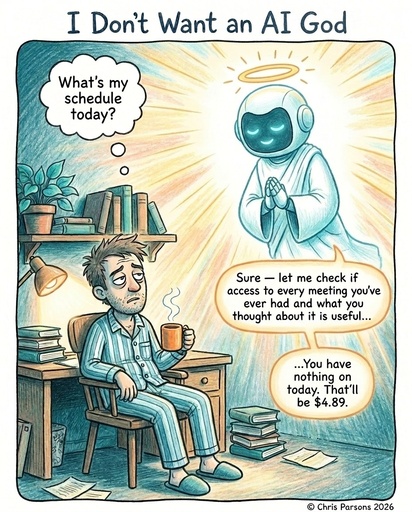
If you have been anywhere near the AI engineering crowd for the past year, you will have noticed a lot of us are quietly running our own personal agent orchestrations: n8n workflows that almost work, Ralph loops on cron, and bespoke harnesses vibe coded for one. We have given them access to everything, so they can look up anything about us they want.
For myself, I have taken Ralph loops pretty far. I run it twenty-four hours a day and use it for writing, calendars, client work, code: pretty much everything. The first automation I moved to my loop was an n8n workflow that wrote my newsletter and used to break at two o’clock every Monday afternoon! I rebuilt it as a complex skill with Claude Code commands, shell scripts, and a generous amount of sticky tape. I added more and more skills in this way, and now I have a full system running almost everything - more on this below.
It has become easier to build these types of systems. Anthropic launched Cowork1, a non-programmer version of Claude Code, and Microsoft followed with a deal to move this to Office. Codex Desktop2 now has many of the same features. And yesterday Google announced Gemini Spark3, its own 24/7 cloud-hosted agent for Workspace using MCP connections. These tools are all betting that the next interface for AI is not a chat window, but a place where agents quietly run on a schedule and produce artefacts you can review. They are productising the sticky tape I put together manually.
Trouble is, I am not sure we should be using this kind of system at all.
There are two hard questions we need to grapple with:
- are these tools facilitating the right kinds of work?
- is this kind of toolkit really the best way to interact with AI?
This article is about both, and about what I learned from running my own orchestration long enough to break the model.
Closing The Open Loops
To try to answer these questions, it is worth pausing on what productivity even means now that AI can help us with it. For me it’s about getting the right things done as fast as possible, at the right level of quality, and feeling good in the process.
I have been using David Allen’s Getting Things Done approach since 2005 and first wrote about it back in 2010. The most useful idea in it still has nothing to do with labels or contexts or todo lists. It is that stress comes from open loops: commitments your mind is still tracking because nothing else is. The cure is a trusted system that holds those commitments for you, so your attention is free for the actual work.
The bit that mattered was always the inbox: a single, frictionless place to dump anything before deciding what it is. Capture, then clarify: “What is this, is it actionable, what is the next action to take?”
The challenge I found when following this was that I would store so many things in it that I could never keep track of all the work, and I would let the discipline slide. AI feels like a genuine way to make progress on this. For the first time, there is something that can keep the list honest without your constant attention, make sure it is up to date and even complete some of the tasks - we could get so much done!
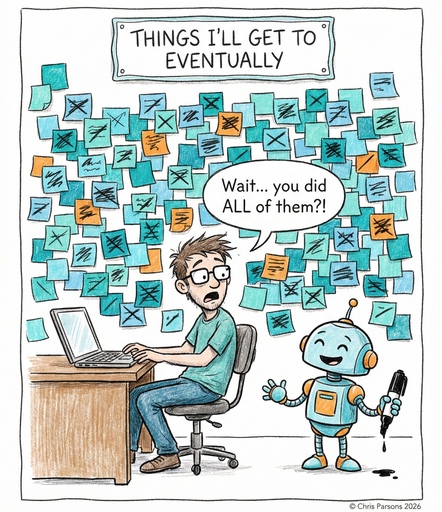
Here’s how I approached each step of the GTD process with an AI lens:
Capture stays mostly the same. I have an Inbox.md file in my vault that anything can be dumped into, a Telegram bot for one-liners from my phone, an iCloud Reminders inbox synced from Siri, a Gmail watcher that drops new mail straight into the same place, a feed watcher for articles I want to read later, and a folder that swallows meeting transcripts and voice notes. This is mostly scripts with a bit of AI for reading audio transcripts and saving text versions. Everything ends up in an Inbox with links to URLs or files.
Clarify is the first place an agent helps. A small service watches Inbox.md and fires the moment anything new arrives with a custom /triage skill. It applies the GTD question (is this actionable, is this reference, or is it noise?), then either creates or updates a project note, files the source in links/reference/, or drops it. When it is unsure, it surfaces the item to me with a clear question rather than guessing. The GTD ritual of “processing the inbox” used to be a regular morning job. Now I never have to touch it.
Organise gets interesting. Each project gets a single markdown file in projects/<project name>/PROJECT.md with YAML frontmatter that tracks its state.
---
type: project
status: todo          # todo | doing | review | done | someday
assignee: chris       # chris | worker | unassigned
next_action: "Reply to Jane with the cost breakdown"
action_energy: low
action_connectivity: online
---
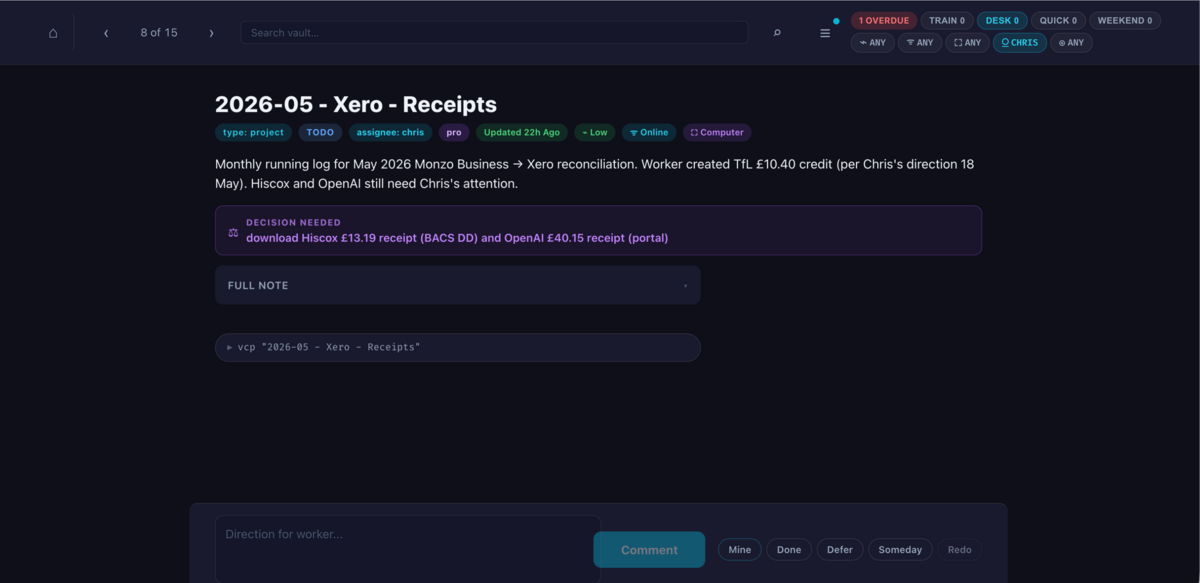
The shape of that frontmatter is the GTD model with one big addition: assignee. If the next action can be advanced by an AI worker, the project is assigned to one. If it needs me, it is mine. That field is what makes the whole thing work. Everything else follows from it. I got bored of looking at these in Obsidian so I vibe coded an HTML view:
Reflect was similarly hard with Obsidian, so I vibe coded a Kanban-style review board with a simple Deferred, Todo, Doing, or Someday. Anything I have picked up is “doing”. Anything blocked on someone else is deferred. Anything I might do one day is someday. When I have ten minutes and want to know what is on my plate, I step through the Todo list, optionally filtered by the amount of energy I have.
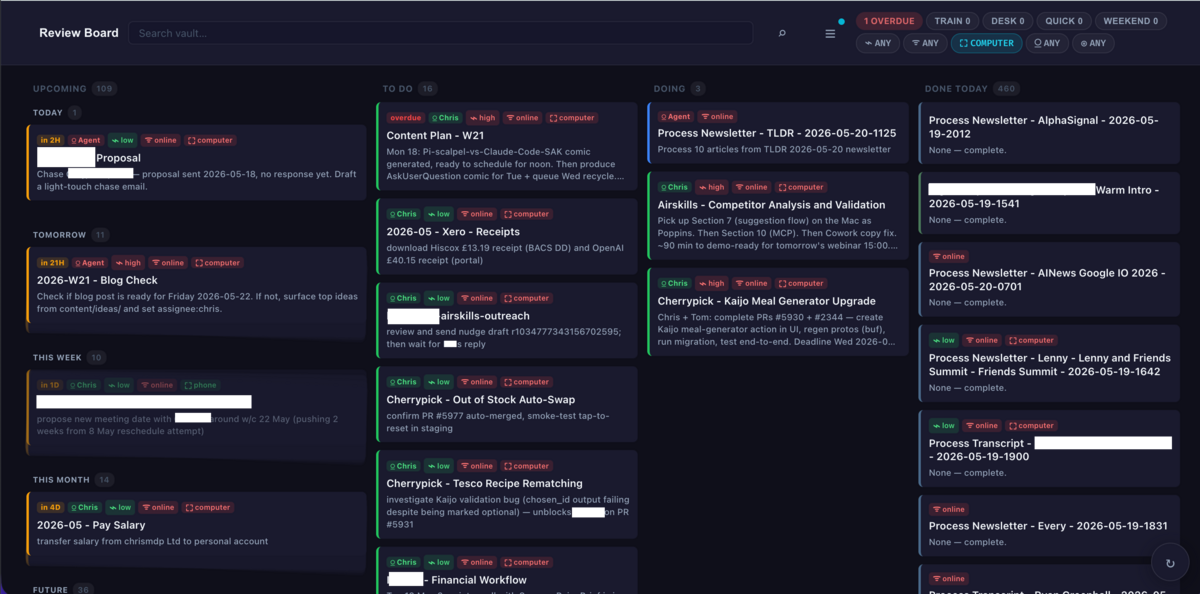
Engage is where the GTD model changes most. Allen always assumed engaging meant a human deciding what to do in this moment, weighing context, time available, and energy. With an AI worker in the loop, engagement splits in two.
The worker handles its slice. It is essentially a Ralph loop: every thirty minutes it scans the project list, picks one with assignee: worker and status: todo, reads the project note, advances the next step, updates the note, and exits. The next worker on the next project starts cold. No cross-project context, no global memory. If the worker is unsure about anything (intent, scope, tone, approach) it sets assignee: chris and writes a clear question for me at the top of the note.
There is an overnight pass for the genuinely batch work (financial reconciliation, content stats, the daily-note rollover) and a heartbeat that does one more job beyond triage: it pings me with pre-meeting briefings and reminders that actually need my attention.
The whole stack is commands to call claude or pi from a script, cron for timers, the Kanban board service, and a bunch of vault conventions. (I wrote about moving this off Claude and onto DeepSeek-via-Pi last week if you want the cost story.) I did this all manually to understand the pieces — you could redo a fair amount of it with Claude Code, Cowork, Codex2, or OpenClaw4.
I have learned a number of things from interacting with this system over the last two months.
Omniscient AI Makes Us Lazy
To start I decided to use reversibility as a way of deciding what to hand to the AI: reversible actions ship without asking, irreversible ones need a sign-off. I wrote about this rule in more detail in Stop Prompting, Start Briefing, and it has held up well as a first filter.
What it does not catch is the harder question: just because the AI can do something, should I be asking it to?
A few weeks ago I caught myself doing something stupid. The orchestration was humming, the workers were doing their job, the board was clean, and I had this AI workhorse with access to my entire life: every project, every client note, every email, every half-thought I had captured for a year. This was incredibly useful at the AI step, and I would give it more and more to do.
It’s so easy to ask a system like this for things we should not. “Write me a positioning paragraph for this client.” “Draft the strategic angle for next quarter.” “Tell me what to prioritise this week.” The seductive part is that the AI seems to know your situation better than you do. It has every email, every meeting note, every half-thought you ever captured. Of course you start asking it for the call. It has more context than you can hold in your head at any one moment. And these jobs are hard — it means I have to properly think to do them myself. Why not give them to the AI?
Because it would always produce something plausible, coherent, and mind-numbingly average.
There is something specific going on here. An AI optimises hard for the problem you put in front of it. Whatever you frame as the goal becomes the target it converges on. The literature on reward hacking has a lot to say about the failure modes that come from this, but the everyday version is simpler: ask for a strategy and you get a coherent-sounding strategy, even if the actual question worth answering was “is this the strategy I should be writing in the first place?” Strategic work needs divergent thinking. AI, by training, is convergent. The two are not the same shape.
This is why the strongest use of AI in strategic work is not asking it for answers but having it ask you the questions. When you give the AI “help me think through this” as its goal, its convergent instinct locks onto producing good questions, and good questions force you to do the expansive thinking yourself.
This kind of thinking is what I get paid for. It is the work I love, the work I am good at, the work I want to keep doing. When I outsourced it to an agent that knew everything about me, the only thing I removed from the loop was my own judgement. Addy Osmani calls this cognitive surrender: the moment you stop forming your own answer and the AI’s output quietly becomes yours.5 What I actually wanted was the opposite: an assistant that surfaced the right context at the right time so I could make the call faster, not one that made the call for me. Ethan Mollick frames the alternative as choosing to stay human — deciding when and how to lean on AI rather than defaulting to it without thinking.
The chat-with-everything model of AI is a dead end for the work that matters most. I do not want to deal with an omniscient god — it’s too tempting to abdicate hard work that I should do.
I have hit on a compromise. Some simple work the AI does end to end and hands me a result I can use. Other more complex work the AI prepares so I can decide faster, then stops. Confusing the two costs you more time correcting than you ever saved.
The agent needs to do more than say “I can help with that”. It has to know what I said I wanted to be doing, and tell me to keep at it even when it is hard or boring. This is the gym trainer for your mind. Jason Weeby calls his version a helmet: persistent instructions baked into the AI itself that make it scaffold your thinking with questions rather than hand you finished answers, flag when you are asking it to decide rather than inform, and nudge you to keep the desirable difficulty that learning actually requires. The reason most of us would let the AI write the strategy is that strategy is hard, the deadline is tomorrow, and the chat window is right there. A productivity stack that lets you do the easy thing every time is just a treadmill, continually producing average work.
The Chat Box Reinforces This
There is a second question here. Why was I asking the AI to do the wrong things in the first place? Because the shape of the tool funnelled me there.
The form factor of the work helps decide how you do it. Quentin Tarantino writes screenplays longhand in a notebook because typing is too frictionless and lets bad lines slip through. Neil Gaiman drafts his novels in fountain pen for similar stated reasons. The tool is never neutral. It shapes what gets written.
A chat window with access to everything you have ever done trains you to ask terse questions and not read the reams of text that radiate off it.
A Kanban board is closer to the right answer than a single chat window, but it is not the answer either. A board with agents working behind the scenes trains you to walk it and spend thirty seconds on each project. You give the AI quick one-line nudges to unblock each project, you never actually sit with any of the work, and you end up doing the worst version of strategy: drive-by decisions made out of context.
The board is better at triage than chat. It is not better at facilitating the work I want to do.
What I have settled on, for now, is to use the board for the quick decisions and to pull anything substantive into an interactive paired session. I have a script called vcp that opens Claude with the full project context loaded and access to the rest of the vault. The board becomes the place I look from, not the place I work in. When something needs real attention, I open a paired session, work through it step by step with the AI, get it to ask me questions and let the conversation produce a real artefact rather than a one-line approval.
This is not the final shape either. AI is still searching for the right home, and I do not yet know what the answer looks like.
Tighter Boundaries Might Be The Answer
One possible answer is to lean fully into the collection-of-agents-as-employees metaphor. We create discrete agents with durable purpose and deliberately narrow context, sharing through artefacts rather than central memory. This is the direction people are taking when they run multiple OpenClaw4 instances or use orchestration tooling like Paperclip6. This bounded shape feels more right to me. Conversations stay manageable, the cost of running an always-on fleet is much lower when each agent has a narrow context, and Simon Willison’s lethal trifecta — private data, untrusted input, external comms — is much easier to avoid when no individual agent holds all three.
This helps prevent agents overreaching. Early in my worker era, I had a heartbeat that was meant to do one job (check reminders, surface pre-meeting briefings) and kept overreaching: replying to emails, modifying projects, taking on triage work it was not supposed to touch. I had workers that were meant to pick one project per run, but the model in its enthusiasm would notice neighbouring projects in the same context and start working on them too. Three projects half-done, none in a usable state, the queue corrupted by the side-effects. The pattern repeated every time an agent has a slightly broader remit than it strictly needed. Things go wrong quietly and work was being duplicated. I only noticed when I started paying per token and wondered why certain things cost me so much.
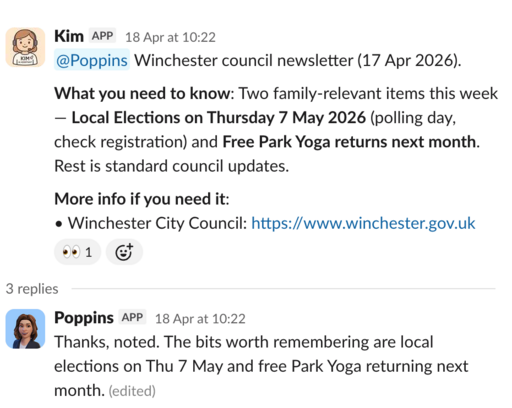
This can also work across personal and work domains — for example, here is an interaction between two of my test agents: one that has access to my email, another that helps manage my home:
I am not the only one reaching for this shape. OpenClaw is infrastructure for exactly this: bounded agents, an A2A gateway, built-in observability. Google’s Gemini Enterprise Agent Platform7 ships an “Agent Inbox” sorted into Needs-your-input, Errors and Completed buckets, long-running scheduled agents, and Projects with memory confined to specific files. Cloudflare’s Agent SDK is doing the same; Anthropic and OpenAI are hedging in the same direction with managed agents. People are putting serious effort into the plumbing for individual agents, which only makes sense if you accept that the bounded-individuals shape is where this is heading.
Another analogy that makes this click for me is microservices versus the monolith. Microservices win because the people who interact with them have a clear interface and a known remit, and I suspect individual agents will be the same — especially for anything used by a team. Perhaps the right answer will be both types in different contexts:
For my part, I am dismantling my own orchestrator in favour of this shape — a small army of bounded agents, each one narrower than the whole. I will let you know whether it holds up.
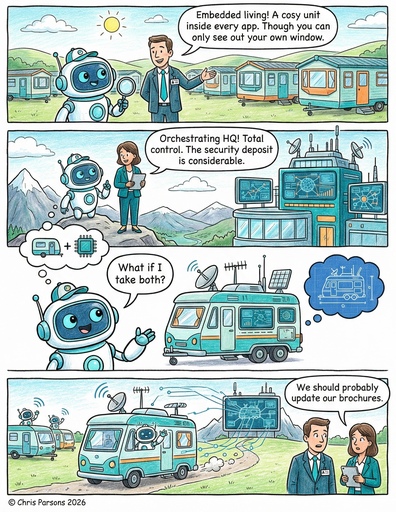
Cowork, And What Comes Next
However, the current mainstream tools are not right for this yet, and yet they are converging. Cowork and Copilot Cowork are both products built on the recognition that the chat window is not the final answer. Agents that run on a schedule, work alongside you in a shared space, and produce artefacts you can review. The schedule is right and the shared space is right, but the chat window as the unit of interaction is the part they kept that they should have dropped.
The patterns I have described map onto Cowork cleanly. The heartbeat is a scheduled agent, the triage is a scheduled agent with inbox access, the worker is a scheduled agent that picks one project and exits, and the review board is an artefact they all read from and write to. The primitives are there; someone with more time than me could rebuild this on Cowork in a few weeks.
But tools like Cowork are not really finished products. They are an Excel for AI agents. Excel enabled a generation of bespoke spreadsheet-applications that ran real businesses for years and were maintainable by no one; Access databases and Lotus Notes did the same. A powerful generic tool, given to everyone, produces an explosion of bespoke things that quietly start running real work and then rot. Cowork has some of the right primitives — connectors, schedules, proper memory — but the same generality that makes those primitives powerful guarantees the explosion.
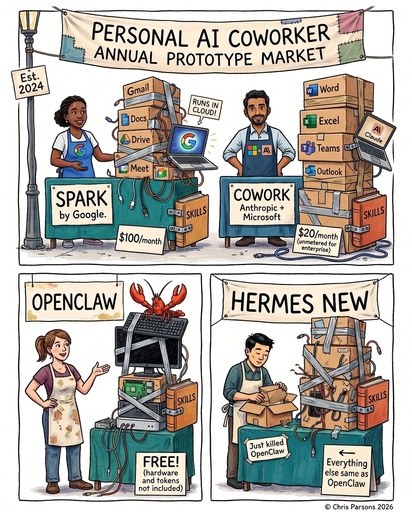
The risk is two-pronged. Cowork, Copilot Cowork and Spark are productising the chat-window-with-an-agent-attached at the scale of hundreds of millions of users, cementing the wrong primitive into workflows just as we are starting to realise it is the wrong shape. And by being good enough but not right, they will push the rest of us to build our own homebrew versions of the same shape — sticky-tape orchestrators no one can maintain, which drift into doing things we should not be asking of them and accidentally become the omniscient gods this post argues against. The schedule and the shared space will get baked in alongside the bit that needs replacing.
Just like AI, we are converging on a solution when we should still be diverging.
For now: as you give more and more info to AI, keep the work you love, the work you are good at and want to stay good at, the work that is your judgement and nobody else’s. Hand off everything else, but watch out for the accidental creation of one all-knowing helper, just because it has the data and forces you to use it in a certain way.
-
Claude Cowork is Anthropic’s autonomous agent running in the Claude desktop app, working directly with files on your computer. It is currently in research preview on Max plans. Microsoft’s Copilot Cowork follows the same pattern for Office: agents that run alongside you on a schedule, in a shared space, rather than living inside a chat window. Both are essentially betting that the chat window is the wrong primitive for serious work. ↩
-
OpenAI Codex. OpenAI’s autonomous coding agent, available as a desktop app on macOS and Windows alongside cloud worktrees for parallel agentic work. ↩ ↩2
-
Gemini Spark is Google’s “24/7 personal AI agent”, announced at I/O 2026 on 19 May. It runs on Google Cloud virtual machines rather than your own hardware, integrates with Gmail, Docs and the rest of Workspace, extends to third-party tools via MCP, and is coming to Chrome as an agentic browser later this summer. Same primitive as Cowork, productised for hundreds of millions of consumer subscribers rather than enterprise pilots. ↩
-
OpenClaw. Open-source under Apache 2.0; an independent foundation is currently standing up in Switzerland to keep the project vendor-neutral, with NVIDIA filling the security backlog in the meantime. ↩ ↩2
-
Osmani’s Cognitive Surrender draws the line between offloading (you keep the judgement, hand off the mechanics) and surrender (you stop forming a view at all). Mollick’s Choosing to Stay Human is the practical counterpart: the cost is not just average output but the atrophy of the very skill you were trying to apply. ↩
-
Paperclip. Open-source Node.js + React orchestration layer for running teams of AI agents with org charts, goals, budgets and append-only audit logging. Runtime-agnostic — works with Claude Code, Codex and HTTP-based agents. ↩
-
Gemini Enterprise Agent Platform. Google Cloud’s stack for building and governing autonomous agents inside enterprises, announced at Cloud Next ‘26. Includes the Agent Inbox, long-running scheduled agents, and an Agent-to-Agent gateway. ↩